Encrypted sharing between your devices,
Beam
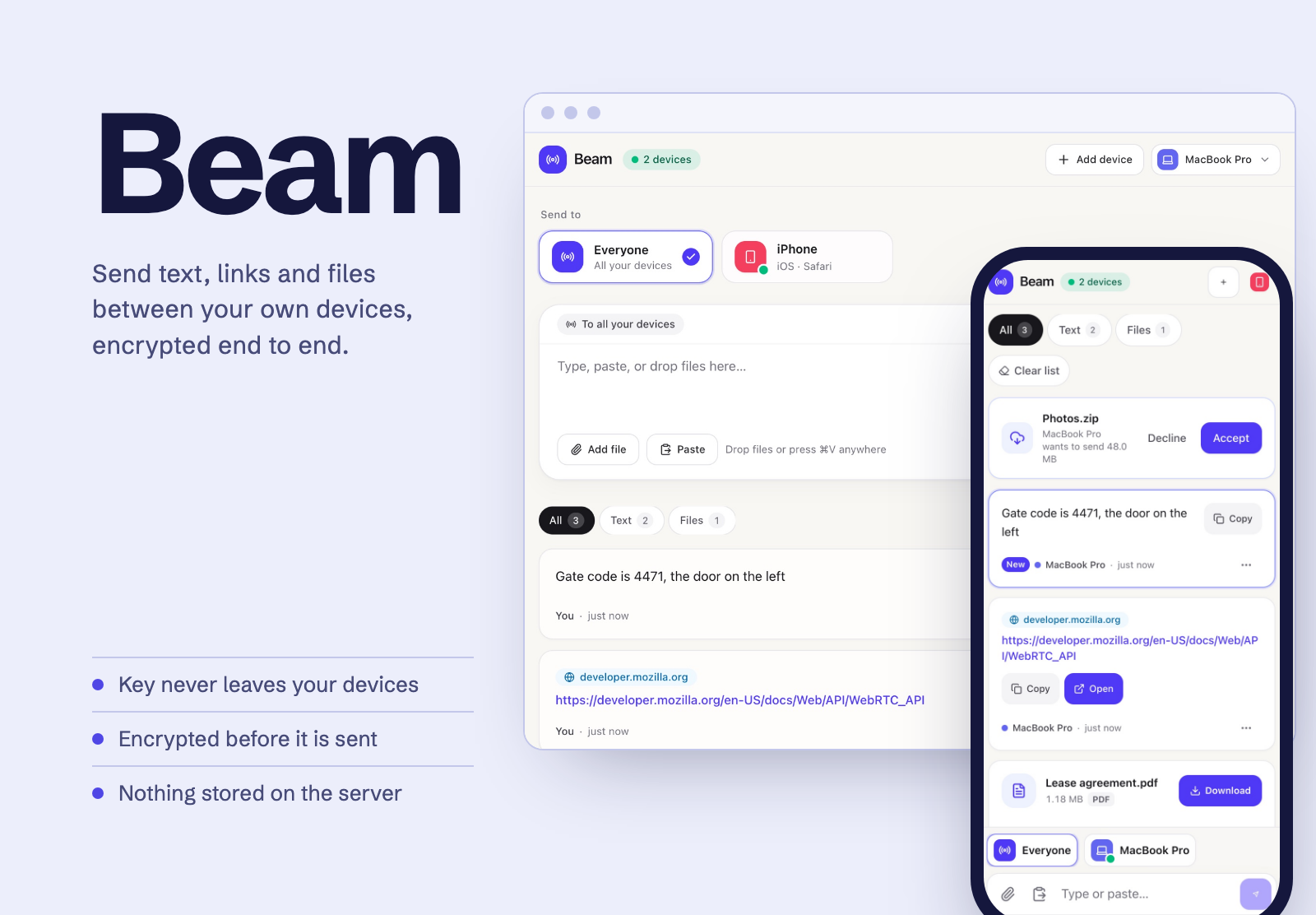
Send text, links and files between your own phone and computers from a browser tab. Everything is encrypted on the device before it is sent, and the server only passes along data it cannot read.
- accounts, installs or stored messages
- 0
- bit key that never reaches the server
- 256
- per file, device to device
- 1 GB
Beam moves the small things between your own devices: a link from the laptop to the phone, a photo the other way, a code snippet or a door code. It runs in a browser tab on each device. There is nothing to install and no account, and nothing you send is stored on a server.
How to use it
1. Pair your devices
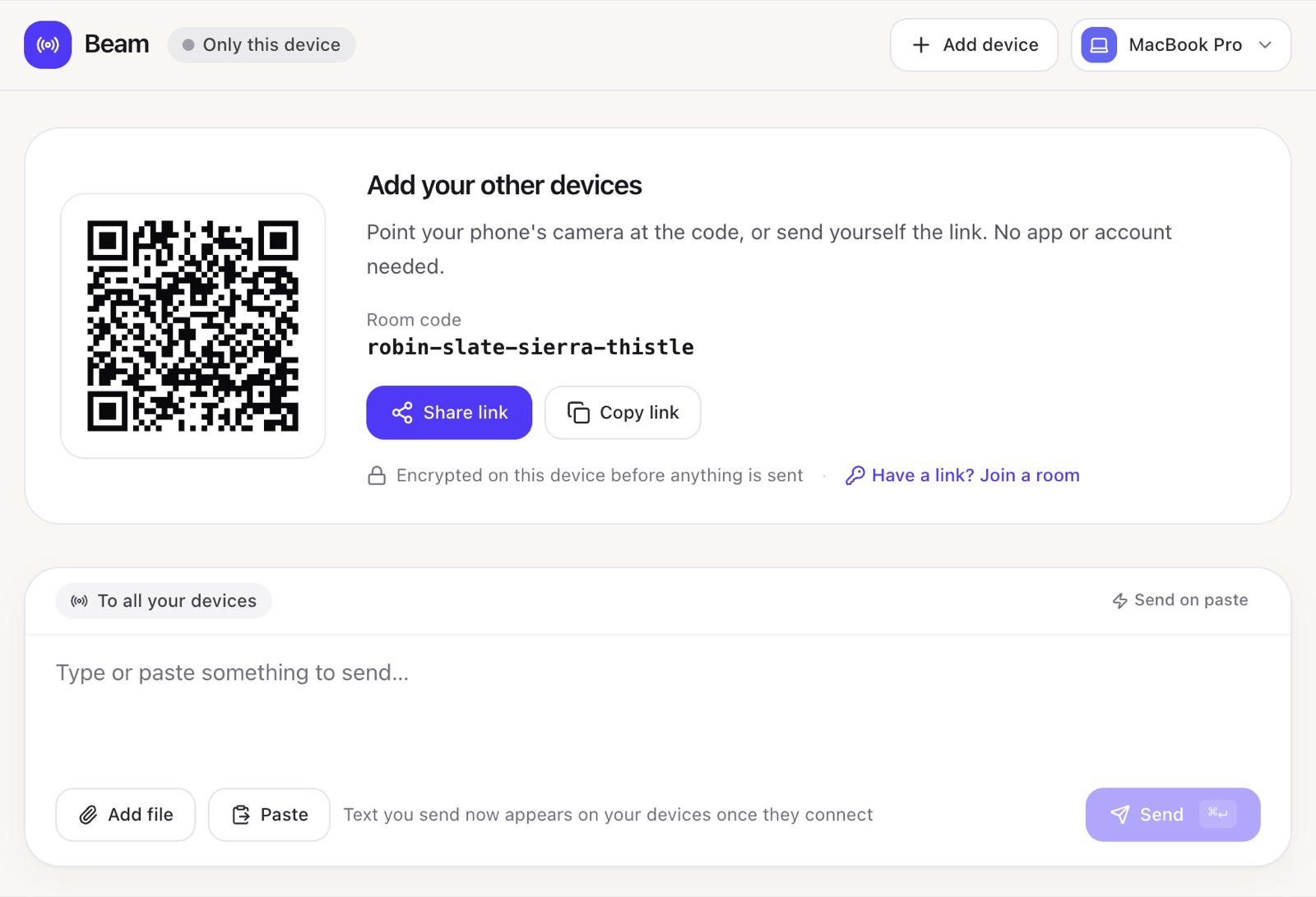
Open beam.cjptech.se on your computer. The first screen is a QR code and a four-word room code. Point your phone’s camera at the QR code and open the link, and the two are paired. On a phone, Share link sends the link through AirDrop, Messages or any other app instead.
Every device in a room shows the same room code, so you can check at a glance that they match. Add more devices the same way, up to 32 per room. Each browser remembers its room, so the next time you only need to open the page.
2. Send something
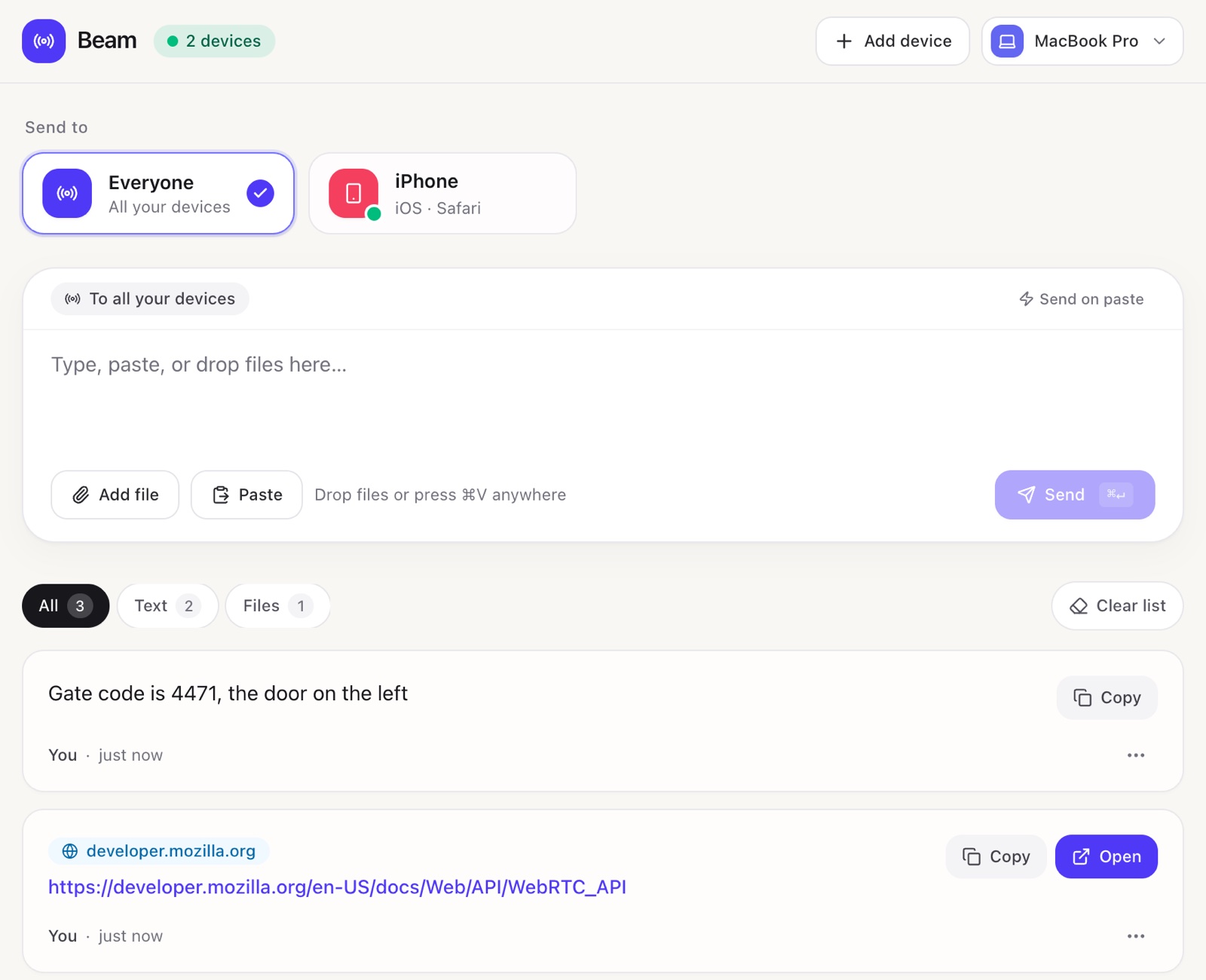
Type or paste into the box and press Send (⌘↵ on a Mac). On a computer you can also press ⌘V anywhere on the page, or drop files onto it. Links, notes and code are recognised and shown as such.
Everyone sends to every device in the room. Pick a device instead to send to only that one; the others never receive it, not even in encrypted form. Turn on Send on paste and pasting anywhere outside a text box sends straight away.
3. Receive it
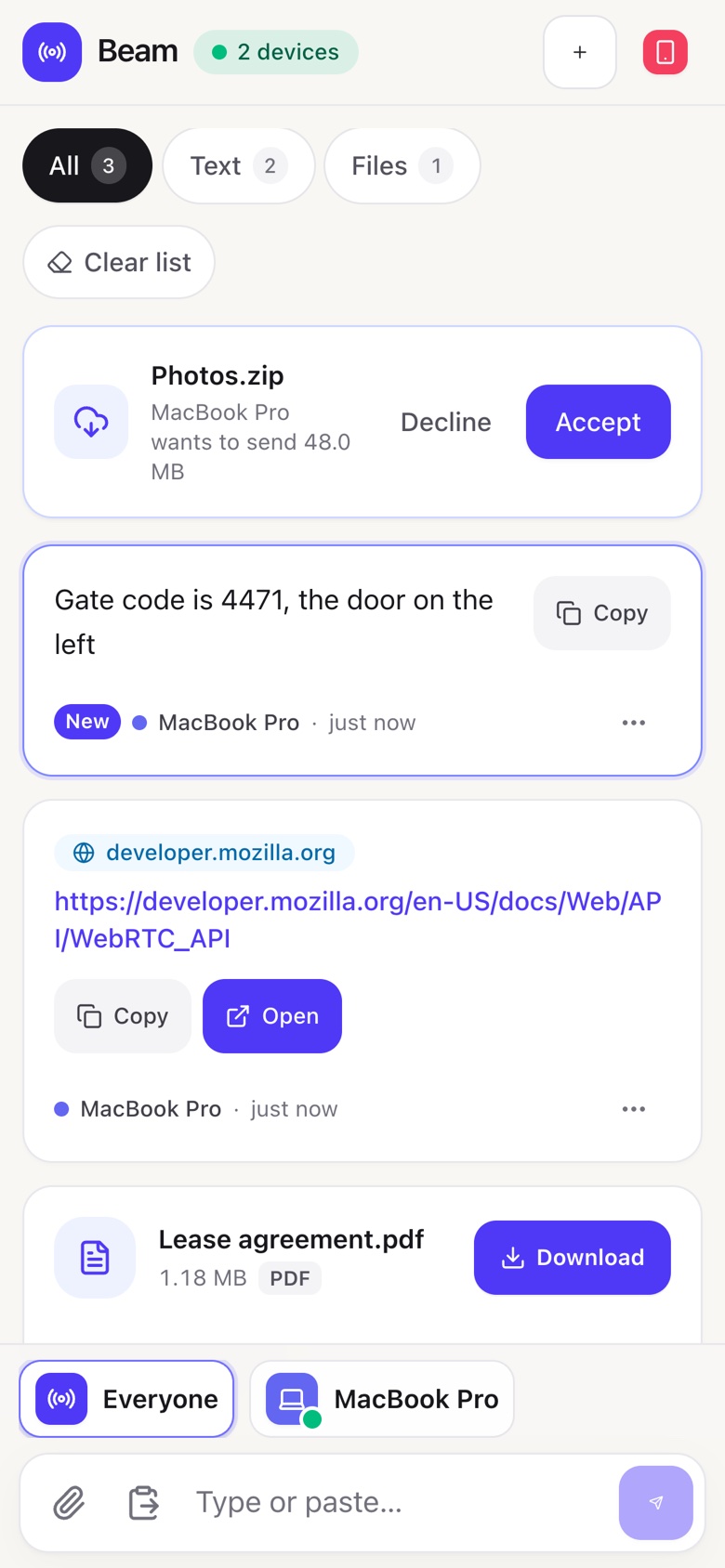
New items appear at the top with a New label and one button to Copy, Open or Download. On a phone the box for sending sits at the bottom, within reach of your thumb, so what just arrived is the first thing you see. If the tab is in the background, its title counts what came in.
Files over 25 MB ask first: you get Accept and Decline before anything downloads.
4. Keep things tidy
- Pin keeps an item at the top.
- Delete everywhere removes an item from every device, with eight seconds to undo it first.
- Clear list only clears the device you’re on.
- Items only live in the open tabs. Close them and they’re gone. Text sent to everyone still reaches a device that joins later, as long as another device in the room is open.
- Lost a device, or shared the link by mistake? Choose Add device, then New room, and pair your devices again. Anyone holding the old link ends up in an empty room.
Treat the link like a password: anyone who has it can join your room.
Security
The server is a relay that can’t read what it relays. Everything else follows from where the key lives.
- The key never leaves your devices. Each room has a 256-bit key created in the browser. It travels in the part of the link after
#, which browsers never send to a server, and Beam removes it from the address bar as soon as the page opens. - Everything is encrypted before it is sent. Messages, files, device names and connection details are encrypted with AES-256-GCM, using keys derived from the room key with HKDF. Each message is tied to its room, sender and recipient and carries its own ID, so the relay can’t redirect it, pass it off as coming from another device or replay it.
- The server can check, but not read. Connections go through a Cloudflare Durable Object that stores nothing. To join, a device presents a value derived from the key, and the room’s address is a hash of that value, so the server can confirm the device belongs without learning the key. Device IDs come from a secret held by each tab, so one device can’t pose as another or knock it offline.
- Direct when the network allows it. Devices connect peer to peer over WebRTC. When a network blocks that, data goes through the relay instead, still encrypted: up to 25 MB per file that way, up to 1 GB directly.
- Other devices aren’t trusted blindly. Anything that arrives is rebuilt from a list of allowed fields. Links must be
httporhttps, previews are only ever made from bytes that actually arrived, never from a web address, and file sizes and the number of transfers at once are capped. - No silent room switching. If you open a Beam link for another room on a device that is already using one, it asks first and shows both room codes.
- A locked-down page. A strict Content Security Policy allows no inline scripts and lets the page connect only to Beam’s own server. HSTS is on, and the relay limits how much each connection can send.
What it doesn’t hide
- The link is the key. Anyone who gets it can join the room.
- Who talks to whom. The relay and the STUN servers that set up direct connections (Cloudflare’s and Google’s) see IP addresses, when devices are online and roughly how much data moves between them, but not what it is. Devices connected directly also see each other’s IP address.
- The devices themselves. Encryption protects data on the way. A device that is already compromised can read what it receives.
Reviewed, then redesigned
The first version worked, but a security review with Claude Code found real gaps. A pairing link could silently move a device into someone else’s room, the page had no Content Security Policy, and data from other devices went straight into the interface. Those were fixed, Antigravity took a second pass at the same issues, and the design was then reworked around the two moments that matter most: pairing a new device and grabbing what just arrived on your phone.