iPad app,
Ink Magic
An iPad app that teaches kids to write Chinese characters. Trace a character stroke by stroke, and the ink turns into what it means.
- characters
- 107
- chapters
- 17
- games in the play corner
- 3
Kids learning Chinese outside a Chinese-speaking environment get little everyday exposure to the written language. Reading comes slowly and writing comes slower. I wanted practice to feel like play rather than homework, so I built a small spellbook for the iPad.
How it works
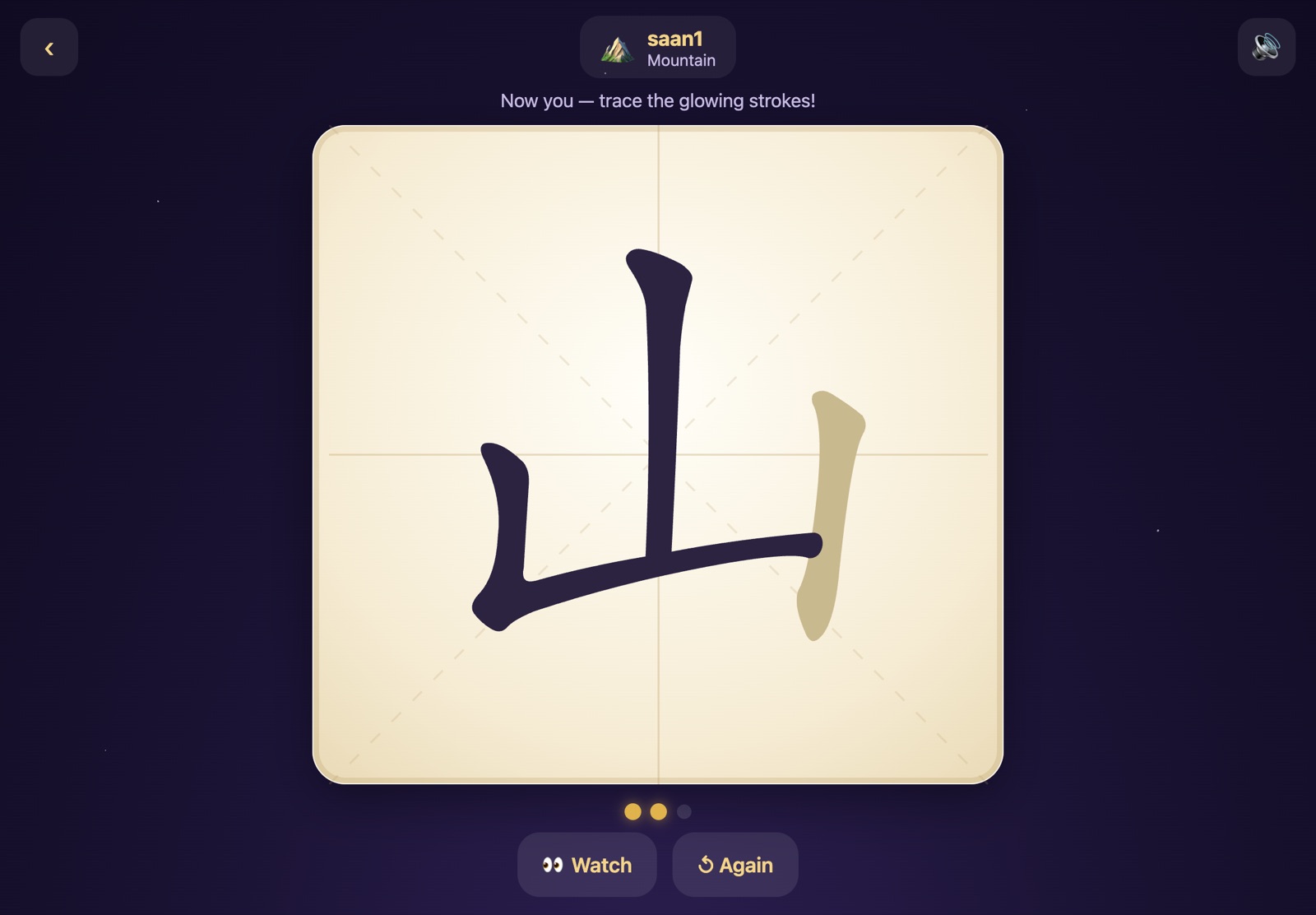
A character first draws itself, stroke by stroke, on a classic 米字格 practice grid. Then it’s the child’s turn to trace it. Grading is forgiving for small fingers: hints appear after a couple of misses, and a wrong stroke is never a dead end.
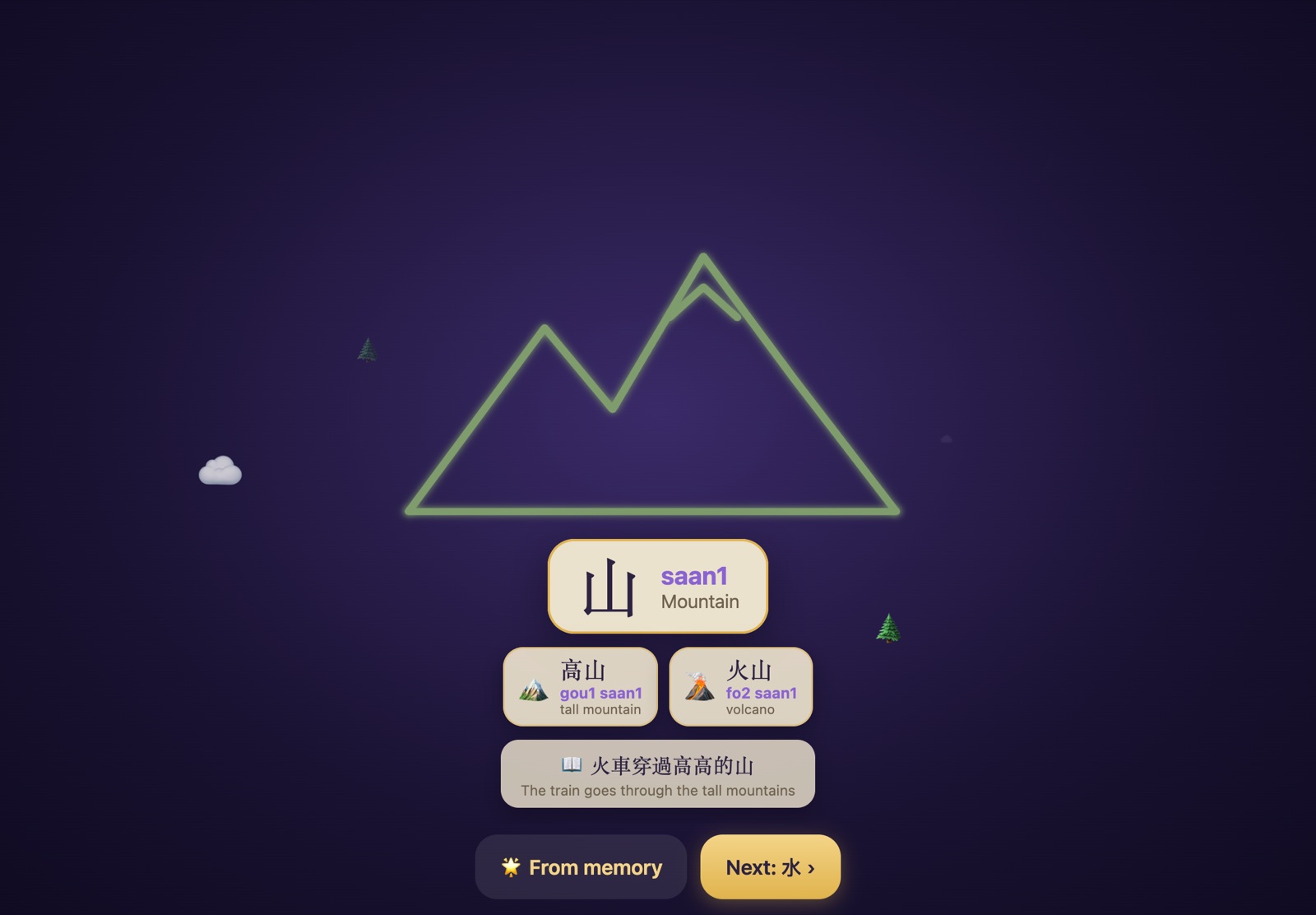
When the last stroke lands, the ink lifts off the page. For pictographic characters, the droplets scatter and reassemble into a line drawing of the meaning, so 山 becomes a mountain ridge and 火 becomes a flame.
Try it Practice grid & reveal
Tap the 米字格 grid to write each stroke. After the last one, the ink turns into a drawing.
Example words, shown after the reveal
山上有高高的樹。 (Tall trees grow on the mountain.)

Each reveal also offers up to two real words that use the character, plus an example sentence. Everything is tappable to hear it spoken.
What’s in it
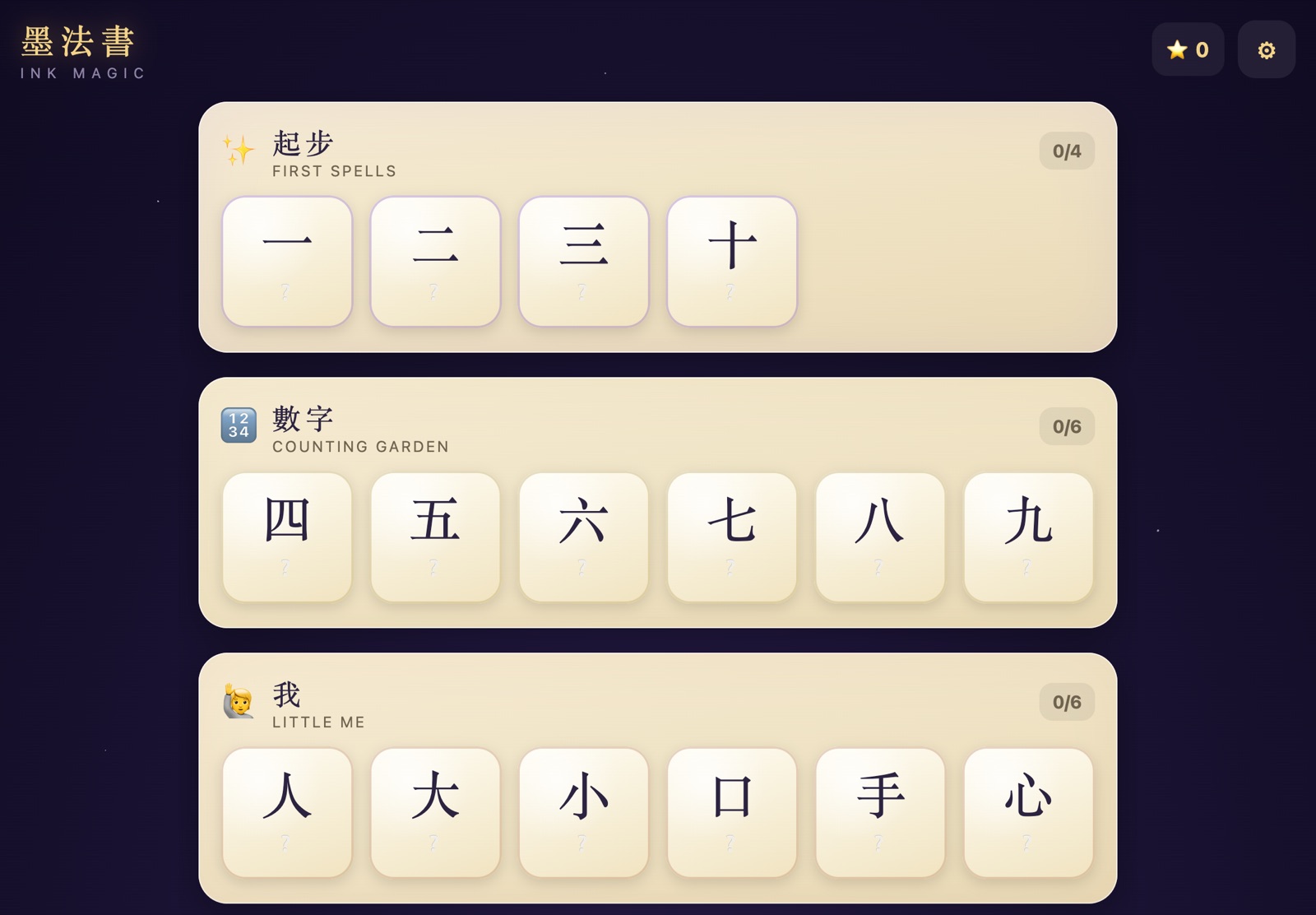
- 107 characters in 17 chapters, taken from Hong Kong kindergarten word lists and ordered so the stroke count climbs gently
- Traditional or Simplified script, with Cantonese (jyutping) or Mandarin (pinyin) readings
- A play corner with three games, built only from characters the child has already traced
- Spell Casting: draw any learned character from memory on a blank page, and the app recognises it on the device
- Writing from memory, with no demo first, earns a gold star
- Fully offline, with no accounts, cookies, analytics or network requests after the page loads
One picture per reveal
Every reveal shows one clear picture: either the ink drawing or an emoji scene, never both at once. Small children do better with one thing to look at than with a collage, and the app got easier to follow once I cut the features that broke that rule.
Under the hood
Vite and TypeScript with no framework; the app is a small state machine rendering DOM. Stroke data and grading come from Hanzi Writer. The whole curriculum lives in one JSON file, and a validation script regenerates the stroke data and checks readings, shapes and coverage on every build.
Sound is synthesised with WebAudio. Every stroke plays a note on a pentatonic scale, so writing a character composes a tiny melody. Speech uses the iPad’s built-in Chinese voices, and the app deploys as static files to Cloudflare Workers.